1
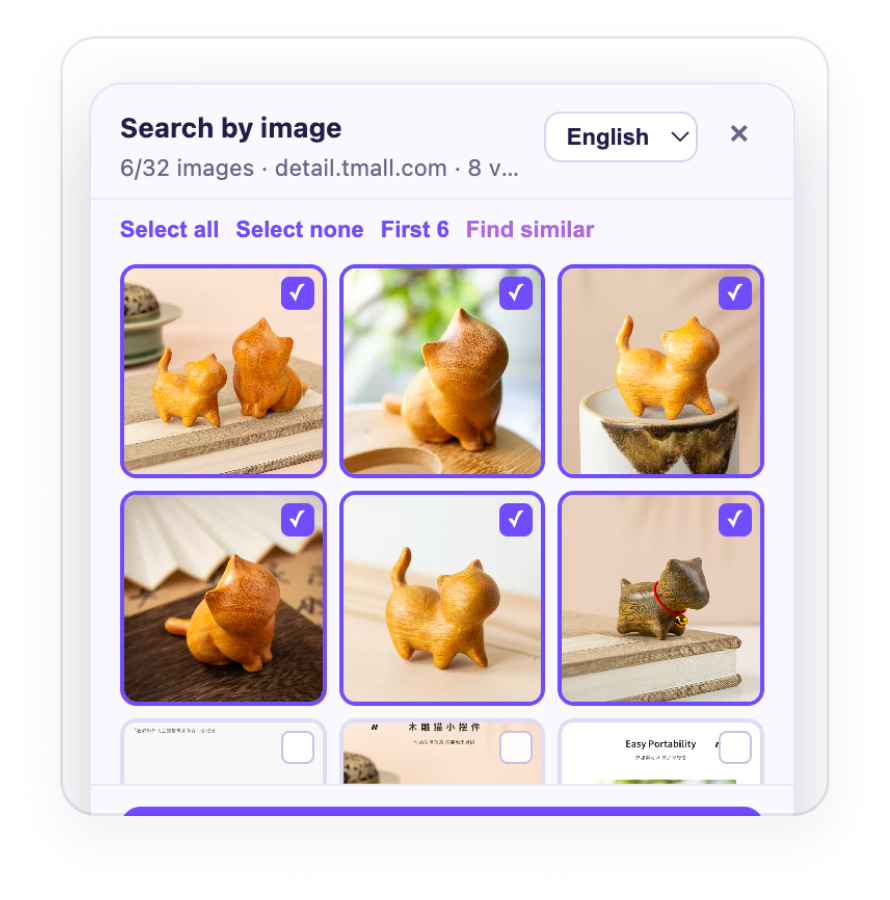
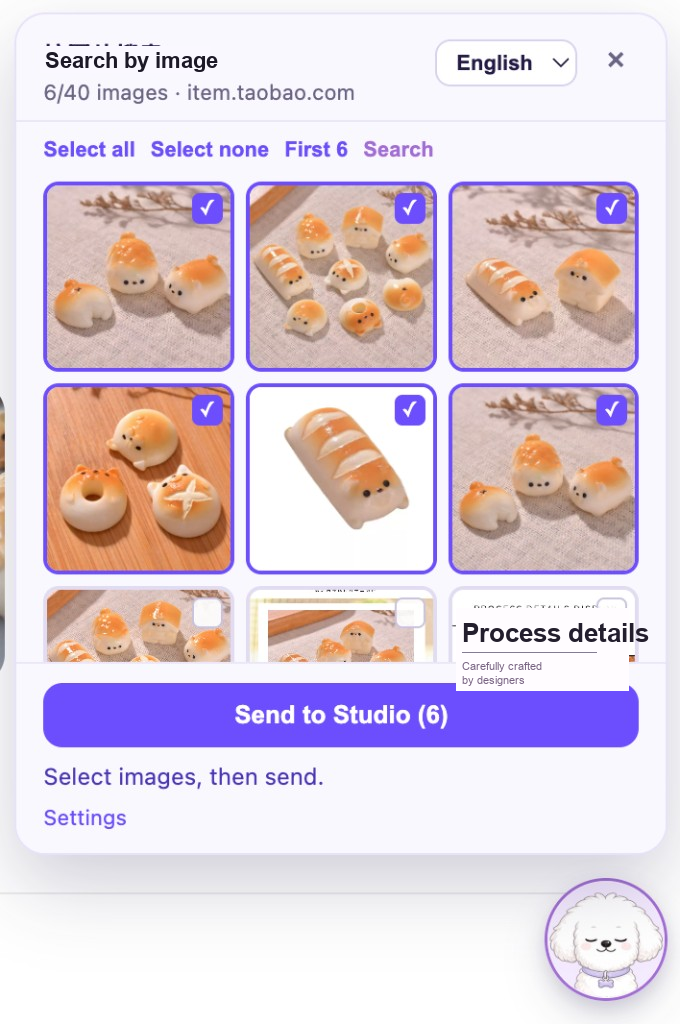
Floating helper collects what you need
On Taobao, Tmall, and 1688: tap → pick images → send to Studio.
Product design case study · Live team tool
A reliable workflow that turns an e-commerce product page into an  -ready listing — from capture and AI-assisted craft to team review and publish.

On Taobao, Tmall, and 1688: tap → pick images → send to Studio.
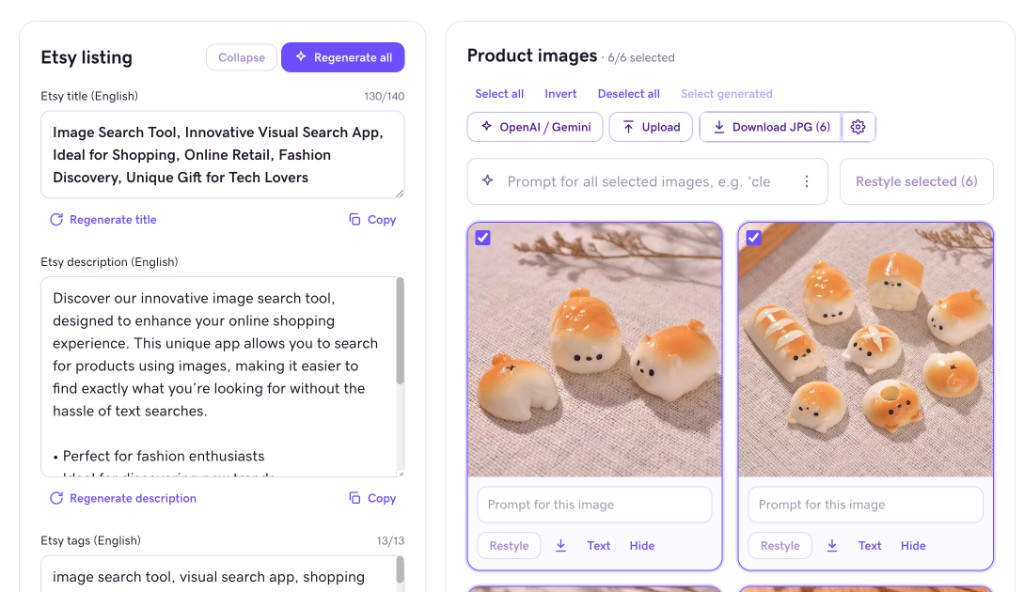
Generate English title, description, and tags; batch-restyle selected images in one place.
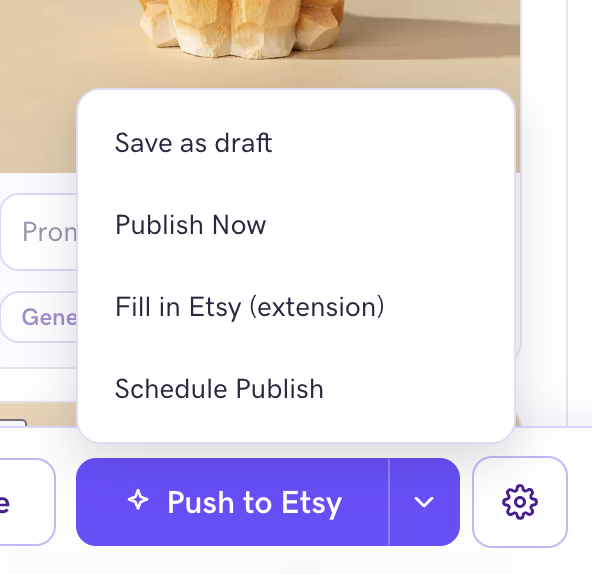
Push images, copy, and price. Choose review, draft, or publish.
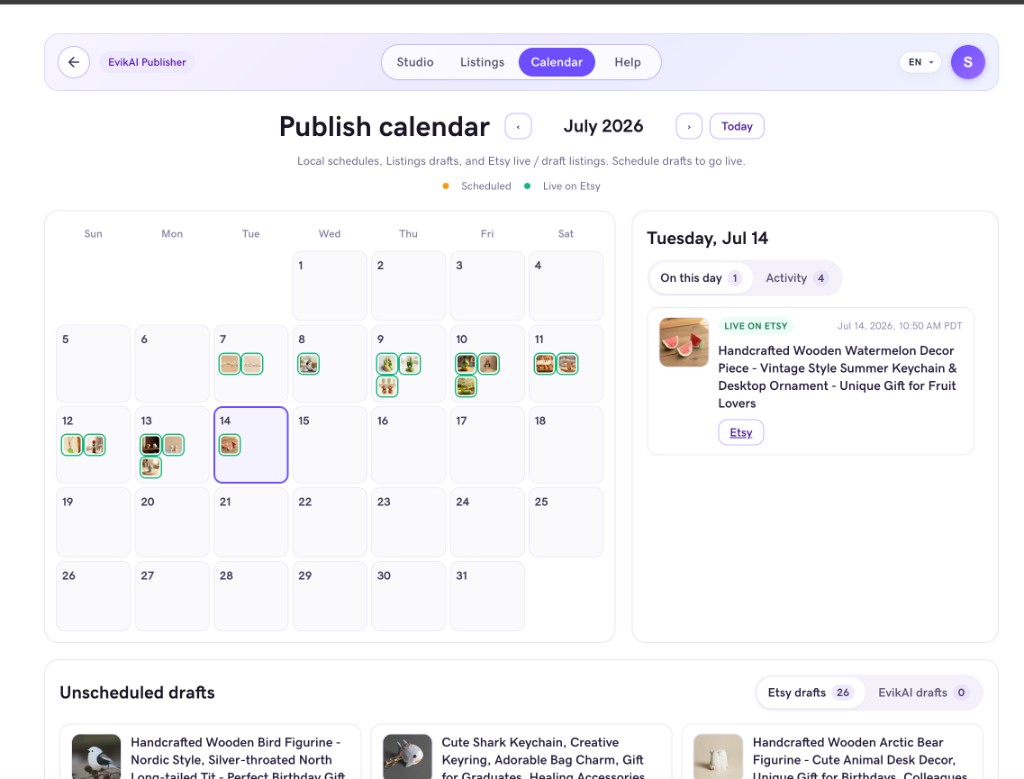
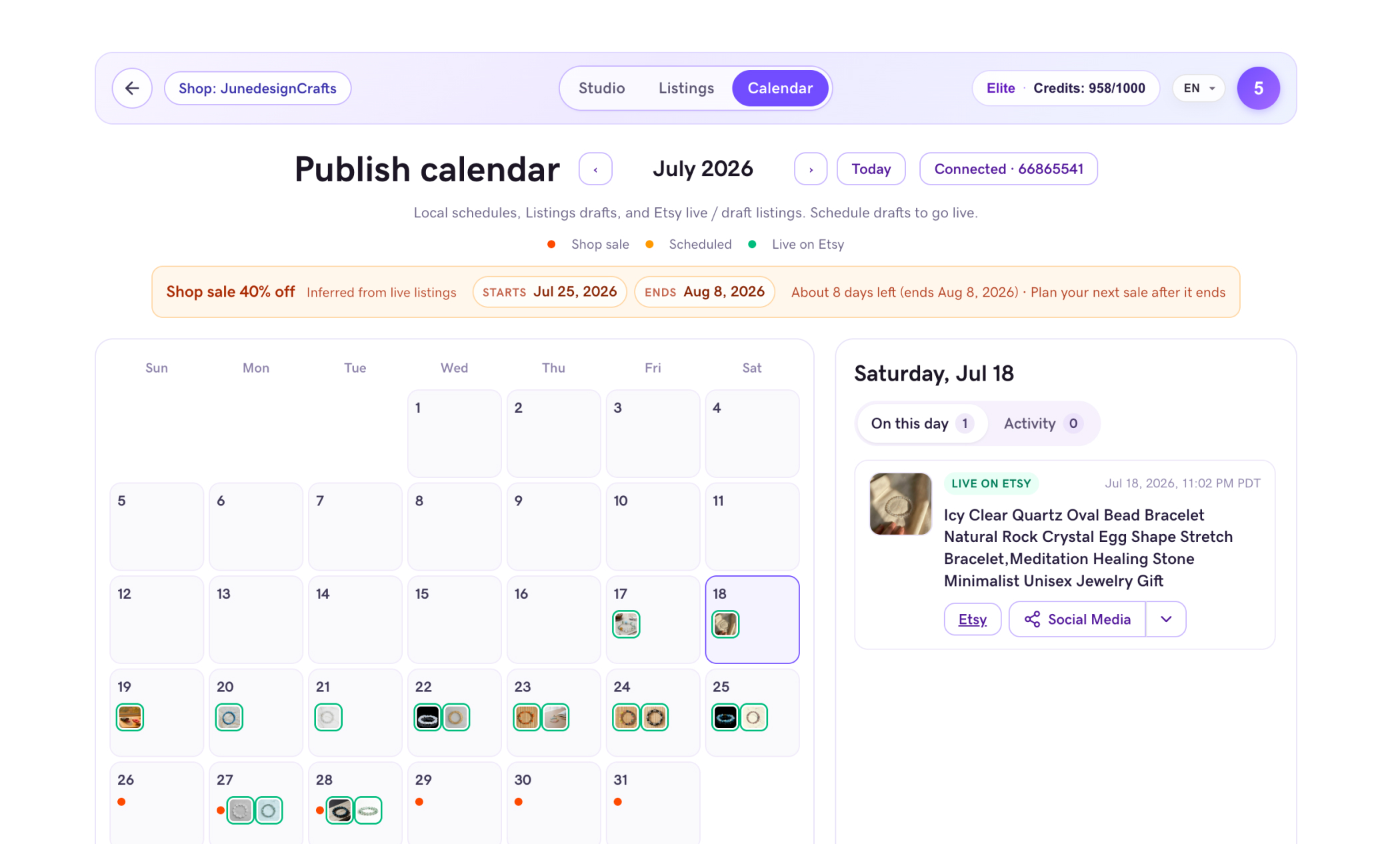
Plan go-live on Calendar; share the same listing to social in one click.
01 · Context & problem
Sellers moved between source sites, folders, photo tools, ChatGPT, and Etsy. Every handoff introduced delay — and every mismatch weakened trust.
Images were downloaded one by one, links copied manually, and folders reorganized before the listing could take shape.
Batch work became repetitive and context was lost between photo apps and AI tools.
Price, gallery order, variants, and duplicate drafts made every Push feel risky.
Creators needed to prepare drafts; publishers needed shop access and a controlled network context.
02 · Research & signals
Exploratory interviews and workflow walkthroughs focused on where users lost time, confidence, or control from product capture to Etsy draft.
Some participants said batch editing saved a significant amount of time, especially for products with a relatively consistent style. They could still adjust individual images and copy when needed.
Creators felt safer when their workspace simply did not expose shop connection or Push.
Replacing the local server and large installer with a small extension made onboarding understandable.
03 · Project goals
The case was deliberately narrowed from a list of features to two product-level outcomes.
The title, images, price, variants, and listing state reviewed in Studio should be what Etsy actually stores.
Creators should prepare high-quality drafts while publishers retain deliberate control over shop connection and Push.
Sellers downloaded images manually, copied source information, moved between ChatGPT, Photoshop or Canva, and Etsy, then entered the same listing data again at publish. Each handoff consumed time and created another opportunity for content to be lost or become inconsistent.
Bring source content, AI-generated copy, edited images, review state, and publish actions into one continuous workspace — from capture to Etsy — so the product moves forward without manual rebuilding.
The work moved through six connected steps: understand the real user task, frame the product around that task, redesign the journey, make interaction decisions, test the whole job, and separate evidence from assumptions.
I reconstructed the current journey from product discovery to Etsy publishing, marking every download, copy-and-paste, asset handoff, repeated field, and point where the user had to remember what was already done.
The interviews were not really describing an image-editing problem. Users were trying to finish one commercial object — a publishable listing — while the product forced them to think in tools and files.
How might we let sellers think about one listing instead of managing five separate tools?
Make the Listing the center of the product. AI copy, image preparation, review, and publishing become capabilities attached to it. Source context and decisions travel forward with the same cloud draft instead of being rebuilt at each stage.
I replaced the tool-based sequence with three user-readable stages. The interface can change by stage, but the underlying Listing remains persistent so users always know what object they are advancing.
The journey model became four concrete interface decisions, each removing one handoff rather than adding another dashboard or instruction.
Together, they reduce context rebuilding at the start, version drift during creation, and uncertainty at the end. The user moves one Listing forward while the system carries the operational complexity in the background.
The task was intentionally end-to-end: independently move one real product from a source page to an Etsy-ready draft. This exposed whether the redesigned mental model survived the transitions between capture, creation, review, and publishing.
The pilot did not claim broad market validation. It provided operational evidence that the redesigned path was learnable and removed measurable work inside the team’s real workflow.
When every teammate saw the same shop connection and Push controls, creators could not clearly distinguish safe preparation from irreversible publishing. Shop owners also worried about exposed credentials and accidental go-live actions.
The orange Client workspace supports capture, creation, and saving only. The purple Studio workspace owns shop connection, review, and Push. Both roles collaborate through the same shared cloud draft without sharing risky access.
For teammates who collect products, create English content, and prepare product images.
For teammates responsible for shop access, listing completion, and deliberate publishing.
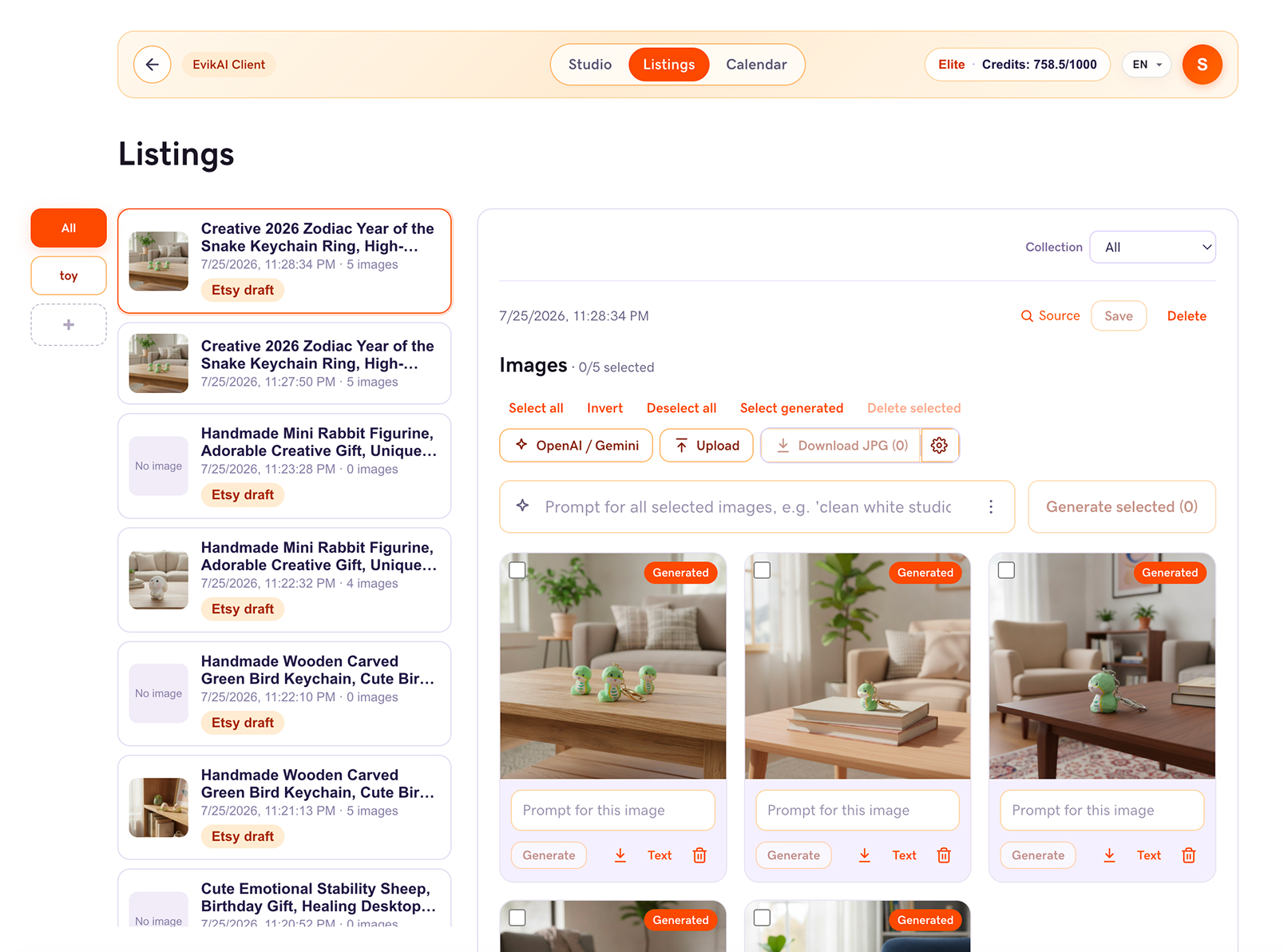

Role-based entry points keep creation, publishing, and administration understandable without exposing every capability to every user.
No Push · No Etsy API
Studio workspace hierarchy
Priority: the primary action, Push, sits above editing chrome. Client omits Push and API connection to protect shop credentials.
The first version required one computer to remain online and teammates to use remote desktop. The installer that followed removed that dependency, but it was large, slow to set up, difficult to update, and vulnerable to machine-specific bugs — keeping nontechnical users from starting confidently.
A small Chrome extension handles source capture while the website, shared drafts, credentials, and API connections live in the cloud. Teammates only need an account and the extension; sensitive keys remain on the server, and everyone receives updates at the same time.
The architecture changed because the onboarding experience kept failing. I treated infrastructure as part of the user journey: every deployment model changed who could start, how independently they could work, and how safely the team could collaborate.
The first product lived on one local computer. Teammates could only work by remotely controlling that host, so access depended on one person’s device, schedule, connection, and willingness to keep the machine running.
The goal was not simply to move code to a server. It was to make access independent from a specific person, device, or installation environment.
How might we let every teammate start independently, without maintaining a computer, configuring a server, or learning deployment?
A downloadable installer moved the program onto each teammate’s computer. This removed the shared remote session and allowed people to run the product without keeping the creator’s machine online.
Device ownership became distributed: every teammate could install and launch their own copy.
Independence improved, but onboarding became harder. The package was large, installation was slow, machine differences caused bugs, and every update required another download. Nontechnical teammates still hesitated to begin.
Removing one dependency had created a different one: every user now had to maintain a local environment.
Instead of adding more installation guidance, I removed infrastructure from the user journey. A lightweight Chrome extension handles capture; editing, shared drafts, credentials, API connections, and updates live in the cloud product.
Users needed less infrastructure, not more instruction.
The test covered the complete onboarding task: install the extension, capture one real product, open Studio, and save the first Listing without help. This tested the experience rather than merely confirming that the system deployed.
A first-run teammate installed only the extension and completed capture plus save without deployment help. The team no longer depended on a 24/7 host computer, remote desktop, or per-device product updates.
The browser stays lightweight while authentication, credentials, and external API calls remain on the server.
Etsy OAuth and API access are enabled only for Studio accounts; Client cannot automatically inherit the shop connection.
The first version depended on a local Chrome session and a computer acting as a server. The next version added a large installer and rented VPS. The final model reduced onboarding to a small extension plus the cloud product — a design decision that made collaboration possible, not a technical showcase.
04 · Validation & iteration
Summarized from internal pilots; names are simplified. Each test asked whether someone could finish capture → craft → Push independently.
Studio lead · Etsy shop operations
“Shop connect once landed on a broken address — I thought the product was dead. After the fix, I chose ‘save draft only,’ and our listing finally reached the shop.”
Content teammate · Client
“Background removal used to take 30 minutes per product. Now I select six images, Restyle once, save — and publishing sees the result immediately.”
Partner · Publish + admin
“I worried assistants would publish by mistake. The orange side has no publish button — that helps. Admin also shows everyone’s AI usage.”
New hire · First solo run
“I only installed the extension. On Taobao I tapped the floating helper, Studio opened, I followed the purple hints — and saved successfully on the first try.”
“I only pushed once — why are there two Listings?”
Only intentional Save or Push creates a Listings row.
The team can identify the real draft without cleanup.
“I don’t know when my shop sale ends.”
Show sale start and end dates directly on Calendar.
The next promotion can be planned without digging through Etsy admin.
“I’m worried an assistant could publish by mistake.”
Remove Push entirely from Client; keep shop access in Studio.
The role boundary is visible in the interface, not hidden in policy.
05 · Outcomes
The strongest outcome was not the number of features. It was that teammates could move one product through the system and trust the Etsy draft at the end.
The product aligned three truths: seller intent, Studio state, and Etsy output.
The current evidence comes from internal pilots and repaired live drafts. It supports product direction, while broader seller research remains the next validation step.
Directional pilot evidenceReported by one content teammate after batch selection and restyling were combined.
A first-run teammate completed capture and save without deployment knowledge.
Client prepares content; Studio controls shop connection and Push.


06 · Reflection
The 0→1 journey made platform constraints, team roles, and product trust part of the same design problem.